Works with your DAW.
Logic Pro • Ableton Live • FL Studio • Pro Tools • REAPER • Cubase • Studio One • LUNA • Bitwig • Nuendo • Reason • and more
Your DAW-agnostic music project library.
SessionDock organizes your existing DAW projects into one searchable library. Preview bounced mixes, search notes and metadata, then reopen the right project in seconds—all without moving your original files.
macOS, Windows, iPhone, iPad, and Apple TV today · Android rolling out · Sync via iCloud or Dropbox
Press
The session problem is familiar, and producers are responding.
SessionDock™ has grown through word of mouth from producers and engineers who need a faster route back into unfinished work.
Top 30
Reached the Top 30 on the Mac App Store through producer word of mouth.
Real studios
Built around daily recall, preview, and project-opening friction.
Press coverage
Featured by CDM, MusicRadar, MusicTech, and Gearnews.
Create Digital Music
Covered SessionDock™ as a serious tool for producers who need faster recall and less friction between ideas.
MusicRadar
Featured the familiar producer problem: old sessions, forgotten mixdowns, and too many folders to search by memory.
MusicTech
Highlighted fast previews, preserved context, and visual browsing across multiple DAWs.
Gearnews
Covered SessionDock™ as a modern production tool where recall and browsing matter more than raw storage.
Every producer has songs they’ve forgotten. SessionDock helps you find them again.
Core workflow
Find the idea before you open the project.
SessionDock™ is built around the quick scan producers actually need: hear the preview, read the note, search the library, and reopen the project with confidence.
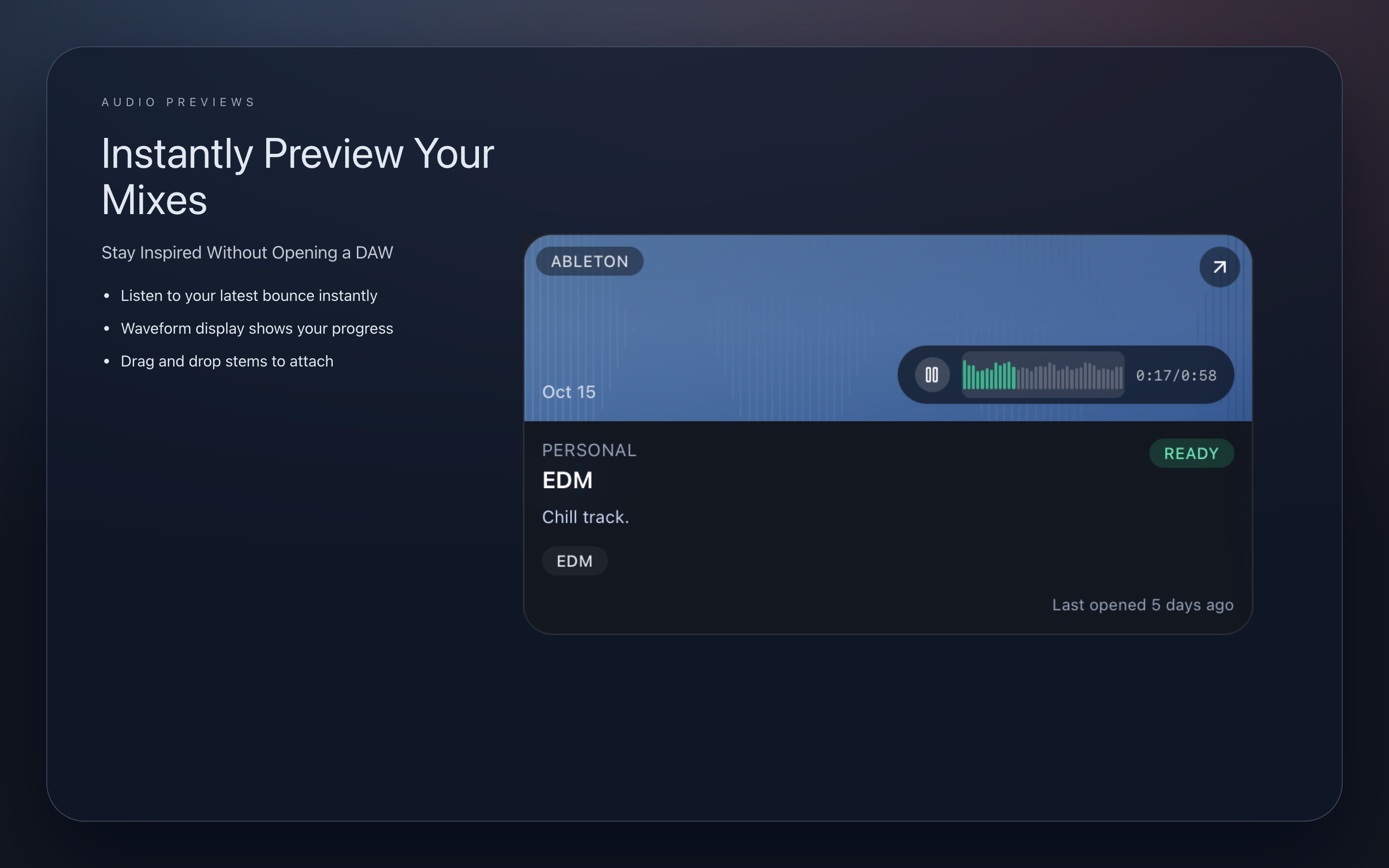
Preview ideas instantly
Attach or detect preview audio so you can hear the direction before opening Logic, Ableton, Pro Tools, FL Studio, Reaper, Bitwig, Reason, Nuendo, or a custom session type.
Read the note in context
Keep notes, artwork, tags, status, and session details visible while you browse instead of chasing Finder comments or separate spreadsheets.
Open the right project
Search the library, compare the preview, then jump back into the session that actually matters.
Pro feature
Your entire session library. One powerful view.
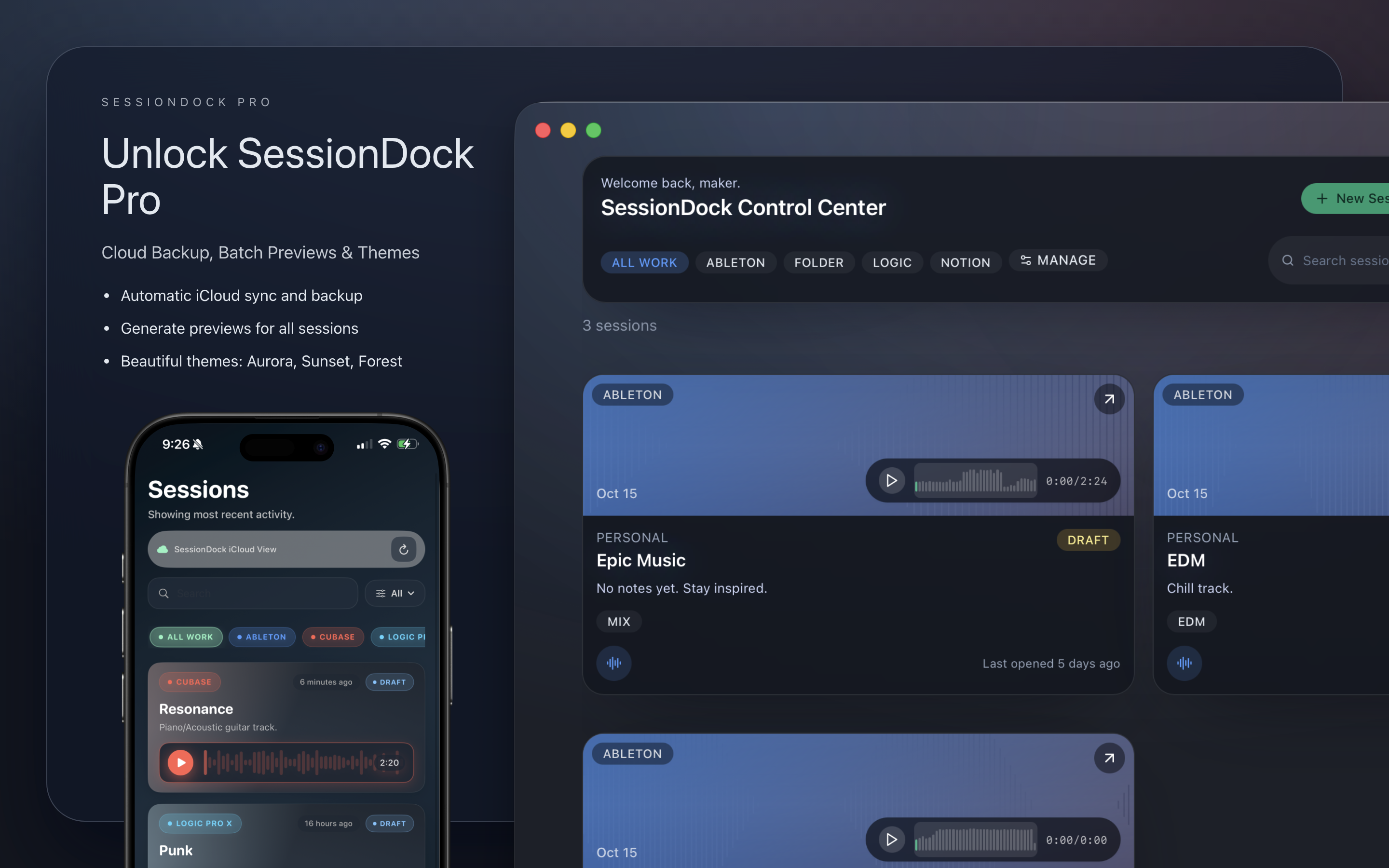
Pro List View turns a crowded archive into a fast, scannable workspace. Preview waveforms, compare tempo and status, then filter thousands of sessions without losing your place.
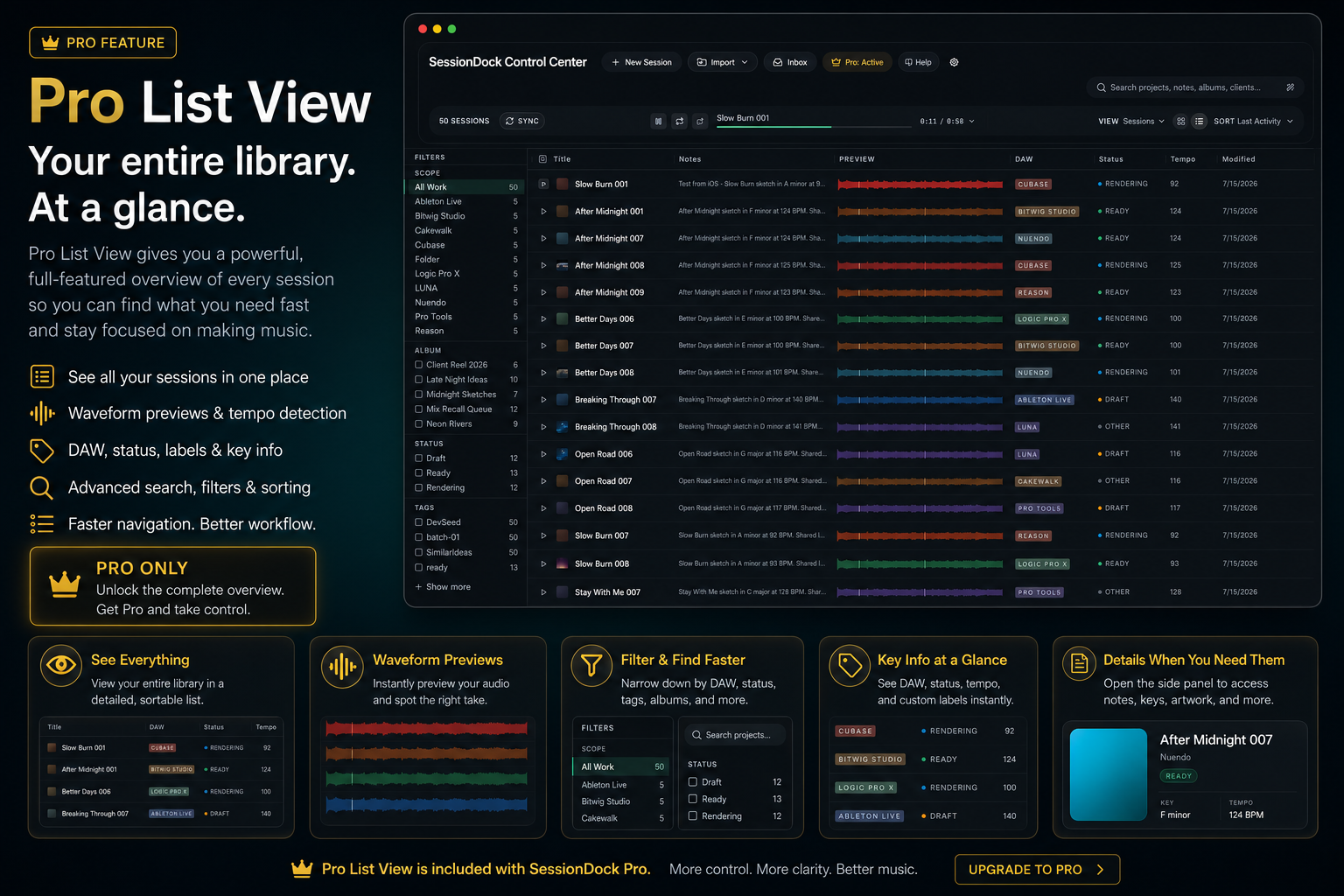
Hear it instantly
Preview waveforms without opening the DAW.
Find it faster
Filter by DAW, album, status, tags, and more.
See what matters
Compare notes, tempo, key, and progress at a glance.
One-time Pro license. No subscription.
Screenshots
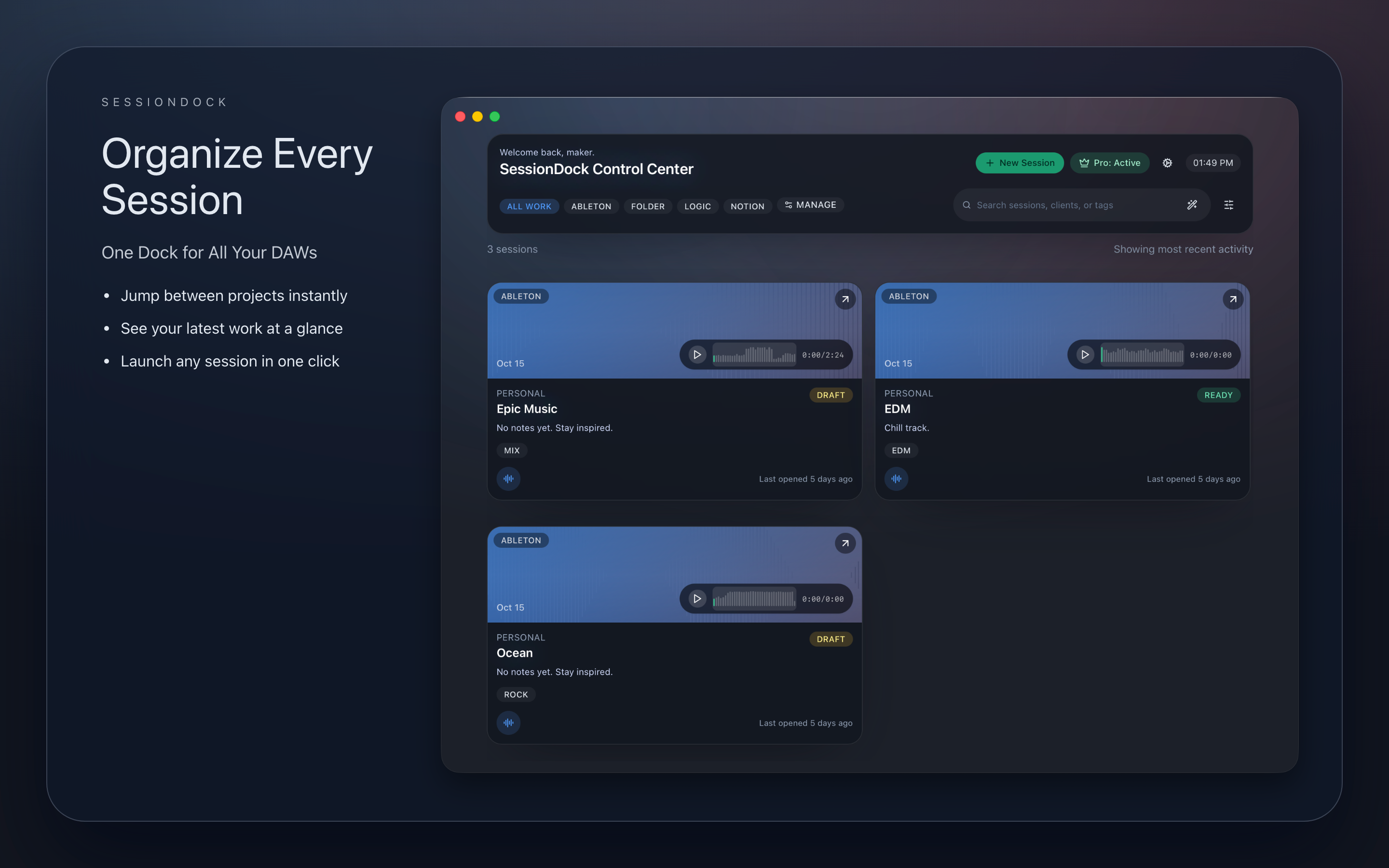
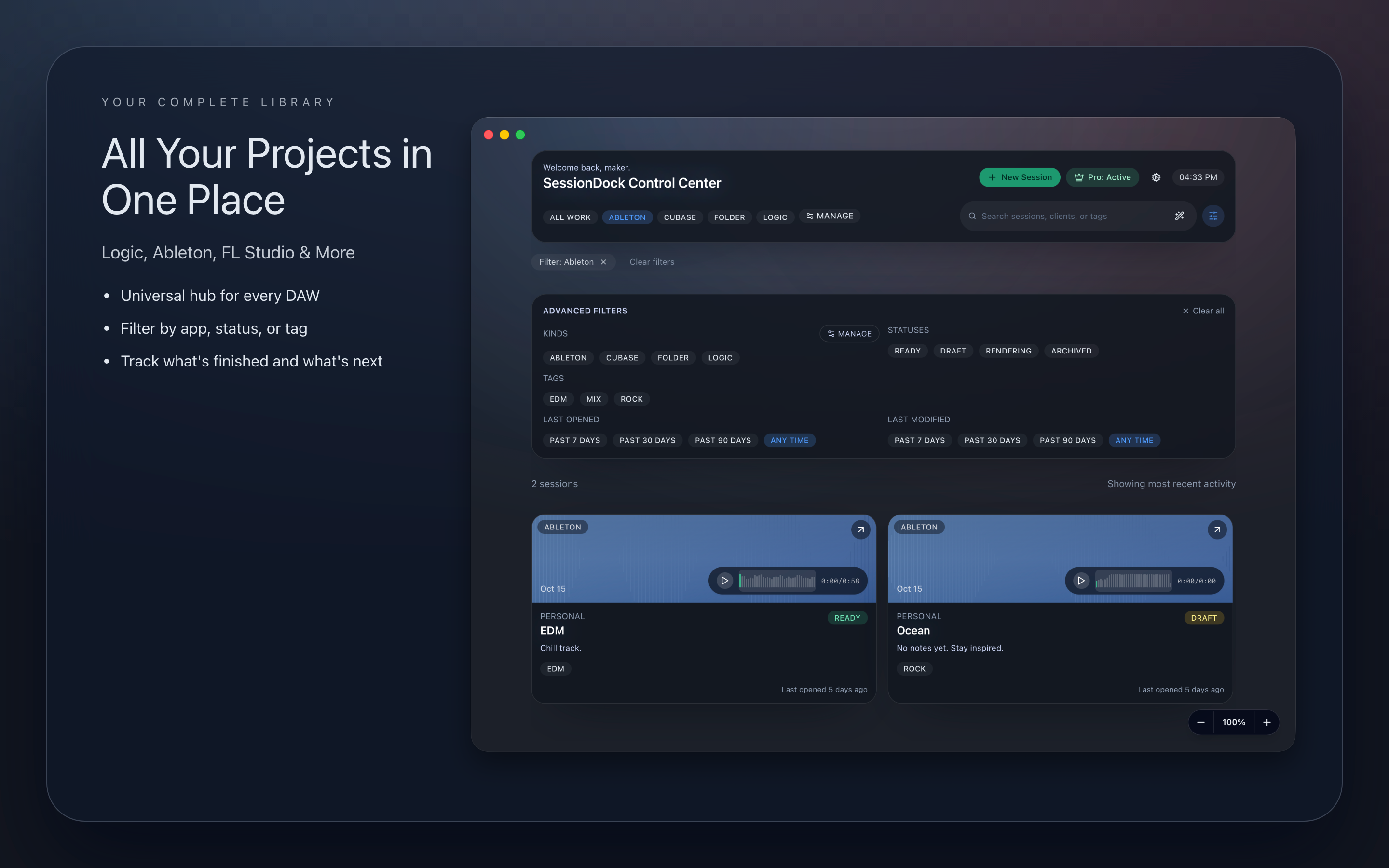
See your session library at a glance.
Browse previews, artwork, notes, tags, and project context before you reopen a DAW.
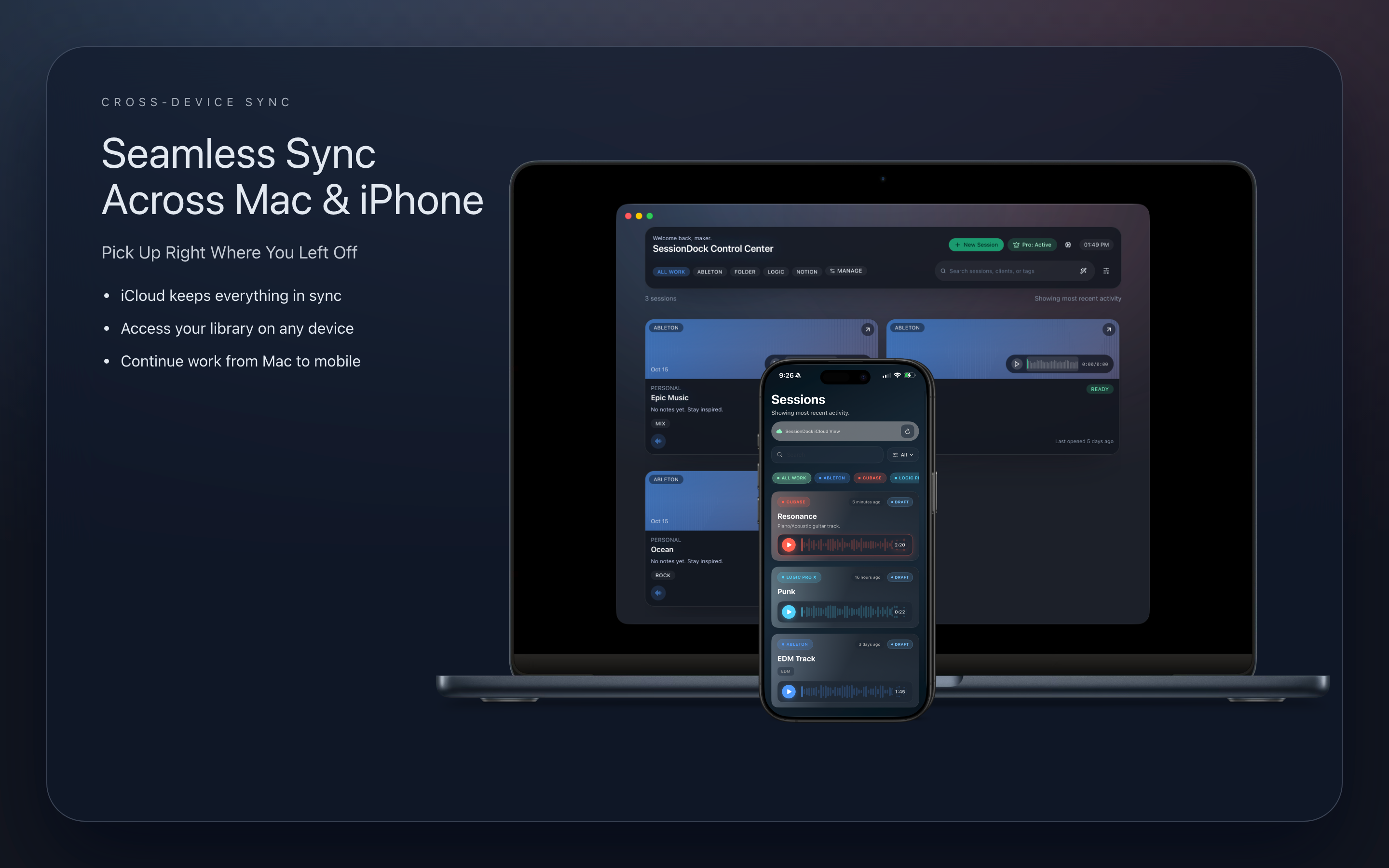
Explore SessionDock™ across desktop and iOS.
High-resolution product captures that highlight fast browsing, live waveform previews, and creative recall across devices.
Desktop control center for ideas, previews, notes, and automation.
Built in public. Shipping every month.
SessionDock evolves continuously based on feedback from real producers. See what's available today, what's actively being improved, and what's coming next.
Live Now
Recent releases made SessionDock™ stronger for large libraries, faster intake, and day-to-day session recall.
- Collections & Albums for organizing related sessions
- Creative Canvas for visually grouping related sessions
- Pro List View for scanning, sorting, filtering, and previewing large libraries at a glance
- Audio Character analysis for finding ideas by how they sound and rediscovering related sessions
- Similar Ideas for rediscovering connected projects
- Music Folders for scanning existing libraries and reviewing found projects in Inbox
- Automatic Export Detection for bounced mixes and previews
- Complete SessionDock manual for setup, workflows, sync, backups, and troubleshooting
- Nuendo support and broader DAW coverage
- Performance improvements across scanning and browsing
Improving Now
Current work is focused on making your changes travel safely between devices and keeping your library effortlessly up to date.
- Edit session details on your phone and see those changes on your desktop
- Community feedback improvements for Creative Canvas
- Tighter music folder behavior and reliability
- More dependable iCloud and Dropbox syncing, with clearer help when edits overlap
Coming Next
The next major surface brings SessionDock™ access to more producers beyond the current desktop and Apple companion apps.
- Android companion app for browsing and reviewing sessions on more devices
- Continued Pro List View improvements for even faster large-library review
- Workflow Automation to reduce repetitive organization work
- .dawproject support for richer DAW session importing
- Enhanced Collections with new types such as folders
- Smarter Related Ideas for surfacing connected sessions
- Waveform energy detection for faster preview review
Track the rollout
Release notes, product updates, and workflow ideas delivered as SessionDock™ keeps improving.
SubscribeWatch real usage
Follow product updates, producer workflows, and community proof as the app keeps shipping.
Follow SessionDock™Download Free
Current Version: v0.4.456View changelog
Every build helps you browse sessions, notes, previews, collections, albums, music folder imports, and exports from the same library. Direct desktop releases ship immediately; Apple platform updates follow App Store review.
Requirements: macOS 12 or later · Windows 10 or later · iOS 18 or later · Apple TV companion available on the Apple TV App Store
macOS Pro Studio (DMG)
Full filesystem access · Local API · Direct in-app updates · Built for NAS/SMB and external-drive workflows
Mac App Store
Sandboxed · Updates via App Store · Best for simple local setups
Apple TV
Available now on the Apple TV App Store for studio-display browsing and mix preview playback
Windows
Standard installer · In-app updates · Supports Windows 10+
Want to dive deeper?
Explore more of SessionDock.
Everything below is supporting material for producers who want more detail on organization, music folder automation, setup, and common questions.
Collections and organization
Organize around the way producers remember ideas.
A folder path rarely tells you which idea had the hook, the better drums, or the note you needed next week. Collections, albums, tags, artwork, and status give the library a shape you can actually browse.
Find ideas by what they are, not just by where they were saved.
Collections
Group sessions around a client, writing camp, album, style, or personal archive without moving the original files.
Albums
Keep track-level ideas connected to larger release plans so loose sketches do not disappear between folders.
Tags, artwork, and status
Add the cues producers actually remember: the vibe, the visual, the stage, and the note that says why it mattered.
Music folder import and Pro automation
Start with your real project folders.
Free users can scan a music folder, review found sessions in Inbox, confirm preview matches, and add projects from their own library. Pro keeps folders watched, automates future discovery, and handles larger workflows.
Scan music folders for free
Point SessionDock™ at a folder, review found sessions in the Import Inbox, confirm preview matches, and add projects when you are ready.
Keep folders watched with Pro
Upgrade when you want ongoing background monitoring, automatic future imports, saved matching rules, and bulk automation.
Stay local-first
Your original DAW sessions stay where you put them. SessionDock™ tracks references, metadata, and optional previews around your existing workflow.
Add your first projects from a folder for free. Upgrade when you want SessionDock™ to keep that folder watched and automate what happens next.
Video
Watch SessionDock™ in action
See how previews, notes, artwork, tags, and fast recall make old sessions readable before the DAW opens.
User manual
Need the step-by-step guide?
The SessionDock™ manual covers setup, first import, music folders, preview matching, cloud sync, backups, Creative Canvas, troubleshooting, and common workflow questions.
Frequently asked questions
Quick answers
Quick answers about syncing, licensing, and how SessionDock™ fits into your studio.
Core how-to
Tap to expandWhat is SessionDock™?+
SessionDock™ helps you browse DAW sessions by notes, previews, artwork, tags, and metadata so you can find the right project before opening the DAW.
Which platforms does SessionDock™ support?+
SessionDock™ is available on macOS, Windows, iPhone, iPad, and Apple TV. Ideas, notes, and previews sync through iCloud or Dropbox, CarPlay is available today, and the Android companion app is rolling out.
Do I need an account to use SessionDock™?+
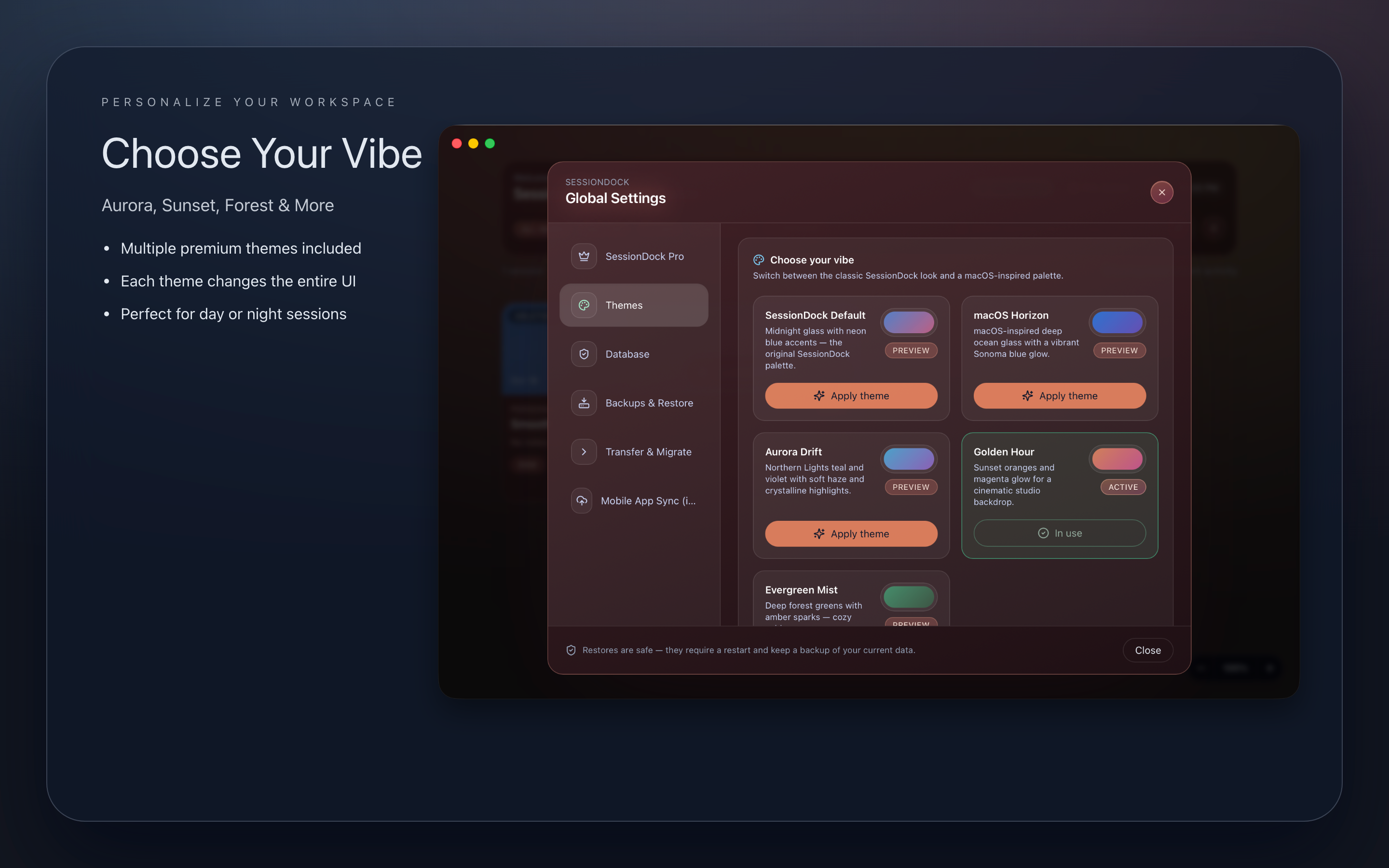
No account or subscription is required to start. The free desktop app lets you organize sessions, add a music folder, review found projects in the Import Inbox, and confirm preview matches. SessionDock™ Pro is for automation and scale, including watched folders, unlimited mobile sync, advanced database backup and restore tools, and custom themes.
How do I add custom DAWs like Reason, Bitwig, or Reaper?+
Click Manage, choose Add a Kind, select a color, and SessionDock™ recognizes any DAW file type, even if it is not listed in the presets.
Sync and cloud storage
Tap to expandHow does SessionDock™ sync my sessions?+
SessionDock™ can use iCloud Drive or Dropbox to keep your ideas, notes, and previews aligned across devices. Once you pick a service in Settings, SessionDock™ updates the metadata while your cloud provider moves the files.
Why can iCloud sync take longer or briefly look out of date?+
iCloud Drive is managed by macOS and iOS and can be delayed by hotspots, cellular settings, Low Data Mode, or files that are not kept downloaded. SessionDock™ copies its sync data into your iCloud Drive folder, but Apple controls when those files upload and download. In SessionDock™ Settings, reveal the iCloud Sync folder and choose Keep Downloaded on both devices. On iPhone, also make sure iCloud Drive is allowed to use cellular data. Dropbox communicates directly through its API and may provide more predictable syncing when you need tighter control.
Where are my files stored?+
Your original sessions stay right where you saved them. SessionDock™ never moves those files. It keeps a small local database and optional audio previews in your Application Support folder, with optional cloud sync through iCloud or Dropbox.
Can I work offline?+
Yes. SessionDock™ remembers your changes while you are offline and pushes them to your chosen cloud service the next time you have a connection.
Why does SessionDock™ ask me to reconnect files sometimes?+
SessionDock™ uses macOS security bookmarks to remember which folders you approved. If macOS thinks a project moved or changed, SessionDock™ may need to renew permission so it can reopen the right files.
Features and behavior
Tap to expandCan I link any file type?+
Yes. SessionDock™ accepts every file and folder you attach to a project. If the DAW is not recognized, the file still opens in the default app you have set on macOS.
How does manual sync work?+
Manual sync forces a fresh scan of your SessionDock™ database and re-uploads the latest session metadata when iCloud or Dropbox lags.
How does SessionDock™ protect my data?+
SessionDock™ never modifies your original DAW session files or project folders. It uses lightweight references and security bookmarks to reliably reopen projects.
Pricing
Tap to expandHow does pricing work for the App Store and DMG versions?+
SessionDock™ is available through the Apple App Store and as a standalone DMG build. The App Store handles regional pricing and taxes. The DMG build uses a fixed one-time lifetime license price shown at checkout.
How does licensing work?+
A license is for one user and can be used on your machines. If multiple people are using SessionDock™, each person should have their own license.
Support and troubleshooting
Tap to expandHow can I contact support or report a bug?+
Email support@sessiondock.com with what happened, any screenshots, and your debug log if the issue involves sync or file access.
Does SessionDock™ support Windows?+
Yes. SessionDock™ is available for Windows with preview audio, tagging, and sync. Requires Windows 10 or later. Download for Windows
What does SessionDock™ require?+
SessionDock™ requires macOS 12 Monterey or later for desktop, Windows 10 or later for Windows, and iOS 18 or later for the mobile companion apps. The Apple TV companion is available now on the Apple TV App Store.